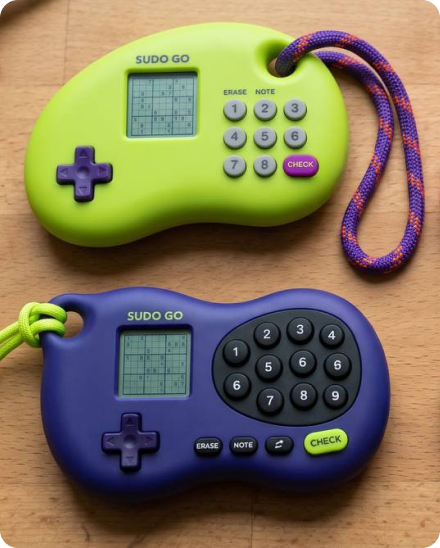
SUDO-GO Handheld Sudoku Console
Designing a palm-sized, distraction-free Sudoku handheld from asymmetrical industrial enclosure to monochrome pixel UI.
Bringing tactile calm back to a daily logic ritual
Playing Sudoku on a phone constantly competes with notifications, battery anxiety, and slippery glass touchscreens. SUDO-GO explores what happens when a classic puzzle gets dedicated single-purpose hardware—built with brutalist geometry, clicky thumb ergonomics, and zero digital noise.
Why existing handheld puzzles feel awkward to operate
Most pocket puzzle gadgets cram tiny membrane buttons below a narrow screen, forcing users to hunt for numbers with one thumb while obscuring the grid. Solving a hard board quickly requires blind muscle memory: directional movement on the left hand and direct 1–9 input on the right.
One cohesive grid across physical buttons and pixels
The right-hand circular keypad mirrors the 3×3 sub-grid of a Sudoku board, letting players enter digits and pencil notes without looking down. On screen, high-contrast monochrome states separate locked clues, user entries, active row/column highlights, and conflict cues cleanly.
Iterating materials and lighting in Cinema 4D + Redshift
Duplicate any `.cs-media-row` block below (`cols-1`, `cols-2`, or `cols-asym`) to add as many process shots, wireframes, UI flows, or renders as you need—every image automatically opens in the full-screen lightbox when clicked.
Bridging industrial craft, UI precision, and rapid AI tooling
Combining 3D CAD exploration, pixel-level interface rules, and AI-assisted logic prototyping turned an initial sketch into a manufacturing-ready product concept in weeks rather than months.